


Scheduled Tasks in Claude Cowork
Automate recurring procurement workflows that run while you sleep
What Are Scheduled Tasks?
Scheduled Tasks in Claude Cowork represent a powerful automation paradigm designed specifically for knowledge workers in procurement, finance, and supply chain management. These tasks function as automated workflows that execute predefined Claude prompts on a precise schedule—whether daily, weekly, monthly, or custom intervals you define.
Think of Scheduled Tasks as "cron jobs for procurement"—they work while you sleep, over weekends, and during times when your team is focused on higher-value strategic work. Instead of manually running the same analysis every Monday morning or generating the same report every quarter, Scheduled Tasks eliminate that repetitive work entirely.
Core Components
Each Scheduled Task consists of three core components:
- A defined schedule: Daily at 9 AM, every Monday at 8:30 AM, first day of the month, etc.
- A Claude prompt: Detailed instructions for what to analyze, generate, or report
- An output mechanism: File saved, email sent, Slack message posted
In the procurement context, Scheduled Tasks execute your analyses on autopilot. They pull supplier data, analyze spend patterns, monitor contract expirations, track savings achievements, and generate executive summaries—all without any manual intervention or oversight. The result is that your team gains dozens of hours per month back for strategic work instead of administrative tasks.
Why Procurement Needs Automation
Procurement departments operate on recurring cycles that demand consistency and precision. Yet these cycles are often managed manually, consuming significant team bandwidth that could be deployed toward strategic initiatives like supplier consolidation, category management, and innovation partnerships.
A Typical Week
Consider typical procurement workflows:
- Monday: Pull spend data, reconcile discrepancies, categorize transactions, email summary to stakeholders
- Wednesday: Check contract deadlines, identify 90-day renewals, create reminder emails
- Friday: Review supplier scorecards, update performance ratings, flag underperformers, compile status report
- Monthly: Pull savings data, calculate realized savings vs. targets, prepare executive summary
- Quarterly: Gather QBR data, format into presentation, coordinate with stakeholders
In a typical procurement department with 3-5 analysts, these recurring tasks consume 10-15 hours per week—nearly 40-50% of available time. Multiply this across your entire team, and the opportunity cost becomes staggering.
Real-World Impact
Novo Nordisk Case Study
Reduced 10 weeks of manual quarterly analysis to 10 minutes of automated reporting using Claude Cowork scheduled tasks.
IG Group Case Study
Saved 70 hours per week by automating compliance reviews, data aggregation, and reporting—freeing analysts for strategic work.
By automating recurring procurement workflows, you free your team to focus on:
- Strategic supplier negotiations and relationship management
- Category strategy development and spend analysis
- Risk mitigation and supply chain resilience
- Vendor innovation programs and cost reduction initiatives
- Process improvements and digital transformation
Step-by-Step: Creating Your First Scheduled Task
Creating your first Scheduled Task in Claude Cowork requires no programming knowledge. The process is straightforward and consists of six key steps. Follow this guide carefully to ensure your first task runs reliably.
Open Claude Desktop and Switch to Cowork Mode
Launch the Claude Desktop application on your computer. In the top menu, locate the mode selector and select "Cowork" mode. Cowork mode enables file system access, directory browsing, and the ability to create scheduled tasks.
Request a Scheduled Task Using Clear Language
In your Claude chat, ask Claude to create a scheduled task using explicit language. Example: "Create a scheduled task that runs every Monday at 9 AM to generate my weekly spend summary report."
Define Your Schedule Using Cron Expressions
Scheduled Tasks use cron expressions—a standard format for specifying recurring schedules. You do not need to memorize cron syntax; Claude translates your English request into the correct format. However, understanding cron makes it easier to request exactly what you need.
Define the Task Prompt with Detailed Instructions
The task prompt is the core of your Scheduled Task. This is the instruction set that Claude executes every time the task runs. A well-structured prompt includes: clear objective, data sources, output format, and output location.
Test the Task Manually Before Scheduling
Before scheduling your task to run automatically, test it manually at least once. Ask Claude to execute the prompt immediately so you can review the output quality and confirm that all file paths work correctly.
Monitor and Refine Your Scheduled Tasks
After scheduling, Claude Cowork will execute your task on the specified schedule. Periodically review the outputs to ensure quality remains high. In your first week of using a new Scheduled Task, check the output daily. After the first week, you can reduce monitoring to weekly reviews.
Cron Expression Reference
A cron expression consists of five fields separated by spaces: Minute, Hour, Day of Month, Month, Day of Week (0=Sunday, 1-5=Monday-Friday, 6=Saturday).
| Schedule Description | Cron Expression | Use Case |
|---|---|---|
| Every weekday at 9 AM | 0 9 * * 1-5 | Daily procurement team standup |
| Every Monday at 8 AM | 0 8 * * 1 | Weekly spend summary report |
| First day of month at midnight | 0 0 1 * * | Monthly savings report and QBR prep |
| Every 4 hours | 0 */4 * * * | High-frequency monitoring tasks |
| Friday at 5 PM | 0 17 * * 5 | End-of-week supplier performance review |
| Daily at 6 AM | 0 6 * * * | Daily contract expiration monitor |
| Thursday at 4 PM | 0 16 * * 4 | Weekly market intelligence brief |
8 Procurement Tasks to Automate
The following section provides detailed guidance on eight high-impact procurement workflows that are ideal candidates for automation. Click any task to expand and view the complete prompt template.
Task 1: Weekly Spend Summary Report
Pull spend data, analyze by category and supplier, identify anomalies, and generate executive summary for leadership review.
Purpose
Pull spend data from your procurement system, analyze by category and supplier, identify spending anomalies, and generate an executive summary for leadership review.
Recommended Schedule
Every Monday at 8:00 AM · 0 8 * * 1
Prompt Template
You are a procurement analyst. Execute the following steps:

1. Read the spend data from [SPEND_DATA_FILE_PATH]
2. Parse and categorize all transactions by [CATEGORY_DIMENSION]
3. Calculate week-over-week spend changes by category
4. Identify any transactions exceeding [ANOMALY_THRESHOLD_AMOUNT]
5. Generate an executive summary including:
   - Total spend this week
   - Top 5 categories by spend
   - Any anomalies or concerning trends
   - 2-3 action items for procurement leadership
6. Format as a concise narrative report (250-300 words)
7. Save output to [OUTPUT_FILE_PATH] in plain text format

Include a table showing: Category | This Week | Last Week | Change %
Key Placeholders
- SPEND_DATA_FILE_PATH: Full path to your weekly spend export (e.g., /shared/data/spend_2025-03-13.csv)
- CATEGORY_DIMENSION: How you categorize spend (e.g., "supplier name", "cost center", "product category")
- ANOMALY_THRESHOLD_AMOUNT: Dollar amount that triggers investigation (e.g., "$50,000")
- OUTPUT_FILE_PATH: Where to save the report (e.g., /reports/weekly_spend_YYYY-MM-DD.txt)
Expected Output
A narrative report (250-300 words) with embedded category spend table, highlighting top spenders and any anomalies, with 2-3 recommended actions.
Pro Tips
- Ensure your spend data export runs Saturday night so Monday task has fresh data
- Define anomaly thresholds based on your business cycle (adjust for known seasonal patterns)
- Include year-over-year comparison if your systems support historical data
Task 2: Daily Contract Expiration Monitor
Scan your contract database daily to identify contracts expiring within 30, 60, or 90 days, and alert the contract owner.
Purpose
Automatically scan your contract database daily to identify contracts expiring within 30, 60, or 90 days, and alert the contract owner for renewal action.
Recommended Schedule
Every weekday at 6:00 AM · 0 6 * * 1-5
Prompt Template
You are a contract management specialist. Execute the following steps:

1. Read the contract registry from [CONTRACT_DATABASE_PATH]
2. Today's date is [TODAY_DATE]. Identify all contracts expiring:
   - Within 30 days (URGENT)
   - Within 60 days (HIGH)
   - Within 90 days (MEDIUM)
3. For each contract, extract: Contract ID, Supplier Name, Expiration Date, Owner Email, Category
4. Organize results into three sections by urgency level
5. For URGENT contracts (expiring <30 days), flag for immediate renewal review
6. Save results to [OUTPUT_FILE_PATH] as a CSV with columns: Urgency | Contract ID | Supplier | Exp Date | Owner | Days Remaining
7. If URGENT contracts exist, also create a summary alert message

Do not include contracts that have already been renewed or marked as non-renewing.
Key Placeholders
- CONTRACT_DATABASE_PATH: Path to your contract registry (CSV, Excel, or database export)
- TODAY_DATE: Current date (Claude will insert automatically)
- OUTPUT_FILE_PATH: Where to save results (e.g., /reports/contract_expirations_YYYY-MM-DD.csv)
Expected Output
A CSV file with all expiring contracts organized by urgency, plus a separate alert message for URGENT items.
Pro Tips
- Ensure your contract database includes an "owner" field with email addresses for automated notifications
- Configure your contract system to export daily for real-time monitoring
- Set up email notifications for URGENT contracts so owners don't miss expirations
Task 3: Supplier Performance Dashboard Refresh
Update supplier scorecard metrics (quality, delivery, cost, compliance), identify underperformers, and flag suppliers needing attention.
Purpose
Update supplier scorecard metrics (quality, delivery, cost, compliance) automatically, identify underperformers, and flag suppliers needing management attention.
Recommended Schedule
Every Friday at 5:00 PM · 0 17 * * 5
Prompt Template
You are a supplier performance analyst. Execute the following steps:

1. Read supplier performance data from [PERFORMANCE_DATA_PATH]
2. Read scorecard template from [SCORECARD_TEMPLATE_PATH]
3. For each supplier, calculate metrics:
   - Quality Score: % on-spec deliveries (target: 98%+)
   - Delivery Score: % on-time deliveries (target: 95%+)
   - Cost Score: Price variance from baseline (target: within 5%)
   - Compliance Score: % compliant with contract terms (target: 100%)
4. Assign overall rating: Green (all metrics >90%), Yellow (one metric 80-90%), Red (any metric <80%)
5. Create a summary showing:
   - All suppliers with ratings
   - Red-rated suppliers requiring immediate attention
   - Yellow-rated suppliers to monitor
   - Recommended actions for each underperformer
6. Save to [OUTPUT_FILE_PATH] as CSV with columns: Supplier | Quality | Delivery | Cost | Compliance | Overall Rating | Action

Flag any supplier with <85% overall performance for contract review.
Key Placeholders
- PERFORMANCE_DATA_PATH: Source data for supplier metrics (e.g., quality data, delivery records, pricing)
- SCORECARD_TEMPLATE_PATH: Template defining rating thresholds
- OUTPUT_FILE_PATH: Where to save results (e.g., /reports/supplier_scorecard_YYYY-MM-DD.csv)
Expected Output
A comprehensive supplier scorecard with individual metric scores, overall ratings, and recommended actions for underperformers.
Pro Tips
- Integrate quality data from your QMS, delivery data from logistics, and pricing from your ERP
- Run this on Friday evening so your team can plan supplier management activities for the following week
- Use Red/Yellow/Green ratings to prioritize strategic supplier reviews and negotiations
Task 4: Monthly Savings Tracker
Aggregate realized savings from all procurement initiatives, calculate against targets, and generate executive summary.
Purpose
Aggregate realized savings from all procurement initiatives, calculate against targets, generate month-end executive summary for CFO/CEO reporting.
Recommended Schedule
First day of each month at 8:00 AM · 0 8 1 * *
Prompt Template
You are a procurement financial analyst. Execute the following steps:

1. Read current month's savings data from [SAVINGS_DATA_PATH]
2. Read YTD savings targets from [TARGETS_FILE_PATH]
3. Calculate total realized savings by initiative:
   - Cost reductions from sourcing events
   - Contract renegotiation savings
   - Waste reduction and process improvements
   - Supplier consolidation savings
4. Calculate month-to-date savings total
5. Calculate YTD cumulative savings and compare to annual targets
6. Generate executive summary including:
   - Month savings total with last-month comparison
   - Top 3 initiatives driving savings
   - YTD progress vs. annual target (in dollars and %)
   - Risk assessment: any categories tracking below target?
   - Recommended actions to ensure annual target achievement
7. Format as a professional one-page executive summary
8. Save to [OUTPUT_FILE_PATH]

Provide percentages for all dollar amounts. Highlight any categories >10% below target.
Key Placeholders
- SAVINGS_DATA_PATH: Log of realized savings by initiative and date
- TARGETS_FILE_PATH: Annual and monthly savings targets by category
- OUTPUT_FILE_PATH: Where to save executive summary
Expected Output
A one-page executive summary for CFO/CEO showing month and YTD savings performance, top initiatives, and target status.
Pro Tips
- Run this on the first business day of the month when finance and procurement are ready for month-close
- Maintain a detailed savings log throughout the month to ensure accurate monthly calculations
- Include burn rate analysis: are we on pace to achieve annual targets?
Task 5: Purchase Order Compliance Check
Review newly issued POs against procurement policy and contract terms, flag violations, and alert requisitioners for correction.
Purpose
Review all newly issued purchase orders against procurement policy and contract terms, flag violations, and alert requisitioners for correction.
Recommended Schedule
Every business day at 10:00 AM · 0 10 * * 1-5
Prompt Template
You are a procurement compliance officer. Execute the following steps:

1. Read all POs created in the last 24 hours from [PO_SOURCE_PATH]
2. Read procurement policy guidelines from [POLICY_FILE_PATH]
3. Read active contract terms from [CONTRACTS_PATH]
4. For each PO, verify:
   - Supplier is on the approved vendor list
   - Unit price matches contracted terms (flag if >5% variance)
   - Payment terms comply with policy (net 30/60 as standard)
   - Delivery address is valid
   - PO total does not exceed requisitioner's approval authority
   - Required approvers have signed off
   - If emergency PO: justified and properly flagged
5. Create a compliance report listing:
   - Green POs: compliant, ready to issue
   - Yellow POs: minor issues requiring clarification
   - Red POs: major violations, hold for correction
6. For Red and Yellow POs, create alert for requisitioner
7. Save detailed report to [OUTPUT_FILE_PATH]

Categorize violations by type: Vendor | Price | Terms | Authority | Documentation.
Key Placeholders
- PO_SOURCE_PATH: System export of newly created POs
- POLICY_FILE_PATH: Current procurement policy document
- CONTRACTS_PATH: Active contract terms database
- OUTPUT_FILE_PATH: Where to save compliance report
Expected Output
A compliance report categorizing POs into Green/Yellow/Red with specific violations flagged and alerts for requisitioners.
Pro Tips
- Run daily at 10 AM to catch compliance issues before they reach suppliers
- Integrate with your PO system to auto-flag high-risk requisitioners for additional review
- Use this data to identify training gaps and update policy guidance
Task 6: Market Intelligence Brief
Aggregate commodity price movements, supply chain disruptions, and supplier news that may impact procurement strategy.
Purpose
Aggregate and summarize key commodity price movements, supply chain disruptions, and supplier news that may impact procurement strategy.
Recommended Schedule
Every Thursday at 4:00 PM · 0 16 * * 4
Prompt Template
You are a procurement market intelligence analyst. Execute the following steps:

1. Review market intelligence from [MARKET_DATA_SOURCES]: commodity indexes, industry news, supply chain reports
2. Focus on commodities relevant to our procurement: [KEY_COMMODITIES]
3. Review our key suppliers from [SUPPLIER_LIST_PATH] for any news or changes
4. Create a market brief covering:
   - Commodity price movements (week-over-week % change)
   - Supply chain disruptions or logistics issues
   - Supplier news (leadership changes, acquisitions, quality issues, expansion)
   - Currency/geo-political factors affecting procurement
5. For each significant change (>10% price move), note negotiation implications
6. Flag any supply chain risks requiring immediate mitigation
7. Provide 2-3 strategic recommendations for upcoming supplier calls
8. Format as an executive brief suitable for negotiation team review
9. Save to [OUTPUT_FILE_PATH]

Focus on actionable intelligence, not general market commentary.
Key Placeholders
- MARKET_DATA_SOURCES: List of market data sources you subscribe to
- KEY_COMMODITIES: Your primary purchased commodities (e.g., "steel, plastic resins, aluminum")
- SUPPLIER_LIST_PATH: Your strategic suppliers for monitoring
- OUTPUT_FILE_PATH: Where to save the brief
Expected Output
A 1-2 page executive brief on market movements and supplier news, with negotiation implications and strategic recommendations.
Pro Tips
- Run Thursday afternoon so your negotiation team has the brief before Friday supplier calls
- Subscribe to commodity indexes and industry newsletters to feed this task
- Use this intelligence to set negotiation targets and identify hedging opportunities
Task 7: Weekly Team Activity Summary
Compile team member activity logs to generate a status report showing completed work, pending items, blockers, and capacity.
Purpose
Compile team member activity logs to generate a status report showing completed work, pending items, blockers, and capacity utilization.
Recommended Schedule
Every Friday at 4:00 PM · 0 16 * * 5
Prompt Template
You are a procurement operations manager. Execute the following steps:

1. Read team activity logs from [ACTIVITY_LOG_PATH] for the past 7 days
2. Read team member list with roles from [TEAM_ROSTER_PATH]
3. For each team member, compile:
   - Completed tasks/projects this week
   - Active/in-progress work
   - Blocked items (waiting on suppliers, approvals, data)
   - Capacity utilization estimate (% of time allocated)
4. Aggregate to identify:
   - Biggest blockers affecting multiple team members
   - Team members at >90% capacity (burnout risk)
   - Team members <60% capacity (reallocation opportunity)
   - Critical path items at risk
5. Create a status report with sections:
   - Team Summary: completed initiatives, on-track projects
   - Blockers: items requiring manager attention
   - Capacity: utilization by team member and recommendations
   - Risks: critical path items at risk
6. Format as a management briefing
7. Save to [OUTPUT_FILE_PATH]

Highlight any capacity imbalances or resource bottlenecks.
Key Placeholders
- ACTIVITY_LOG_PATH: Where your team logs daily activities (Asana, Jira, spreadsheet, etc.)
- TEAM_ROSTER_PATH: List of team members and their roles
- OUTPUT_FILE_PATH: Where to save the weekly summary
Expected Output
A management briefing summarizing team progress, blockers, capacity utilization, and risks for the coming week.
Pro Tips
- Run Friday afternoon to prepare for the following week's planning
- Use capacity data to identify training opportunities and cross-functional project assignments
- Track blockers over time to identify systemic process improvements needed
Task 8: Quarterly Business Review Prep
Automatically compile QBR presentation data including performance summaries, savings achievements, and strategic recommendations.
Purpose
Automatically compile QBR presentation data including performance summaries, savings achievements, supplier updates, and strategic recommendations.
Recommended Schedule
First business day of each quarter at 8:00 AM · 0 8 1 * *
Prompt Template
You are a procurement executive preparing a quarterly business review. Execute the following steps:

1. Gather QBR data for the past quarter:
   - Spend analysis from [SPEND_DATA_PATH]
   - Savings tracking from [SAVINGS_PATH]
   - Supplier performance from [SUPPLIER_METRICS_PATH]
   - Contract activity from [CONTRACTS_PATH]
   - Team capacity/projects from [ACTIVITY_LOG_PATH]
2. Calculate quarter summary:
   - Total spend (vs. budget and prior quarter)
   - Realized savings (vs. target)
   - Supplier performance trends
   - Process improvements implemented
   - Team headcount and capacity utilization
3. Create QBR data deck outline with:
   - Executive summary (current state, key achievements, top risks)
   - Financial performance (spend trends, savings, cost reduction initiatives)
   - Supplier performance (top performers, underperformers, relationship updates)
   - Risk assessment (supply chain risks, contract expirations, key dependencies)
   - Strategic initiatives (category management, digital transformation, innovation)
   - Headcount and capability planning
4. Compile key slides:
   - Spend trend chart (quarter-over-quarter)
   - Top suppliers by spend with performance ratings
   - Savings achievement vs. target
   - Risk dashboard
   - Strategic recommendations for next quarter
5. Save compiled data and slide outline to [OUTPUT_PATH]

Generate clean, executive-ready data suitable for C-suite presentation.
Key Placeholders
- SPEND_DATA_PATH: Quarterly spend analysis and trends
- SAVINGS_PATH: Realized savings tracking and initiatives
- SUPPLIER_METRICS_PATH: Quarterly supplier performance data
- CONTRACTS_PATH: Quarterly contract activity and upcoming renewals
- ACTIVITY_LOG_PATH: Team activity and project tracking
- OUTPUT_PATH: Where to save QBR data compilation
Expected Output
A comprehensive QBR data deck outline with all required slides, charts, and supporting analysis ready for executive presentation.
Pro Tips
- Run on the first business day of each quarter to give yourself 2-3 weeks for presentation refinement
- Automate this 4-6 hour data compilation task and focus your time on strategic narrative
- Use QBR data to set priorities and goals for the next quarter
Writing Effective Task Prompts
The quality of your Scheduled Tasks depends entirely on the clarity and completeness of your prompts. A well-crafted prompt provides Claude with unambiguous instructions about what data to access, how to process it, and how to format and deliver results.
Structure Your Prompts with Clear Steps
Organize your prompt as a numbered step-by-step sequence. This makes it easier for Claude to understand and execute the task in order, and for you to debug if something goes wrong. A typical structure includes: (1) data sources, (2) data processing, (3) analysis/calculation, (4) output formatting, (5) output delivery.
Specify Exact File Paths and Formats
Always provide the exact file paths where Claude should read input data and where it should save output. Include the file format (CSV, TXT, JSON, etc.). Never use vague references like "the spend file"—instead, provide the full path: /shared/data/spend_2025-03-13.csv
Include Error Handling and Edge Cases
Specify what Claude should do if data is missing or does not meet expectations. This prevents your automated tasks from silently failing or producing incomplete outputs. For example: "If the spend file is missing, email the data owner and save an error report."
Define Output Format Precisely
Specify the exact columns, order, and format for output. For CSV outputs, list column names and order. For narratives, specify length and content organization. The more precise you are, the more consistent your outputs will be.
Test Prompts Before Scheduling
Always test your prompt manually by asking Claude to execute it once, then reviewing the output. Look for: (1) Correct data sources accessed, (2) Correct calculations, (3) Correct output format, (4) Files saved to correct location.
Managing Your Automated Workflows
Once your Scheduled Tasks are running, you need a system for monitoring, maintaining, and improving them. This section covers the essential management practices.
Listing, Pausing, and Updating Tasks
At any time, you can see all your active Scheduled Tasks by asking Claude to show them. You can pause tasks temporarily for maintenance, update task prompts as your needs evolve, or delete tasks you no longer need. Each of these operations can be performed without recreating the entire task.
Task Management Operations
- List all tasks: Ask Claude to display all your scheduled tasks with their current status, next run time, and last run result
- Pause a task: Temporarily disable a task for maintenance or testing. The task remains configured and can be easily resumed
- Resume a task: Re-enable a paused task without recreating it
- Update a task: Modify the prompt, schedule, or output location without starting from scratch
- Delete a task: Permanently remove a task you no longer need
Monitoring and Reviewing Outputs
Check the /reports/ directory regularly to verify that output files are being created on schedule. During the first week of running a new task, review outputs daily. After the first week, switch to weekly reviews. If a report does not appear when expected, Claude can diagnose issues and re-run the task if necessary.
Building a Report Library
Over time, your scheduled tasks will generate a rich library of reports and analysis. Organize these by task type and date for easy retrieval. This historical data becomes invaluable for trend analysis and identifying patterns over time.
Best Practices
Start Simple and Scale
Do not try to automate your entire procurement operation at once. Start with one simple task. Once it is running reliably for a month, add a second task. This approach lets you develop comfort with the process and build momentum. Most teams reach 5-8 automated tasks within their first quarter.
Always Test Before Scheduling
Never schedule a task without first testing it manually. This single practice prevents 90% of automated task issues. Spend 15-20 minutes testing, and save yourself from weeks of debugging.
Create a Dedicated Reports Directory
Establish a clear directory structure for task outputs. Use /reports/ to organize reports and make it easy to find outputs and compare runs over time. Example structure:
- /reports/weekly/ (spend summaries, activity logs)
- /reports/monthly/ (savings tracking, supplier scorecards)
- /reports/quarterly/ (QBR data, strategic summaries)
Review Outputs Weekly
After the first week of running a new task, set a weekly review time to scan all outputs. This prevents you from becoming a bottleneck and lets the automation work as designed. A 30-minute weekly review keeps everything running smoothly.
Iterate Based on Experience
As you use Scheduled Tasks, you will discover opportunities for improvement. Keep a running list and implement improvements in monthly batches. Common refinements include:
- Adjusting threshold values based on actual business patterns
- Adding new data sources as systems integrate
- Expanding analysis as teams provide feedback
- Optimizing schedules based on stakeholder availability
Conclusion
You now have the knowledge to implement Scheduled Tasks in your procurement operation. The 8 tasks outlined in this guide represent a starting point—adapt them to your specific workflows and business requirements.
Begin with one task this week. Choose the task that will save your team the most time. Test it thoroughly, schedule it, and watch it run. Within 12 weeks, you can have 4-6 tasks running, freeing up 15-20 hours per week of team capacity.
The procurement teams that master automation gain a significant competitive advantage: better spend visibility, faster decision-making, and more time for strategic work instead of administrative tasks. Your team can be one of them.
AI Fundamentals for procurement
Get Your Procurement Team AI-Ready
Some of your team members already use AI. Others barely started. This program trains AI skills for everyone within 21 days. Many procurement teams are seeing massive results. Are you?
✓ Team-wide AI adoption in 21 days
✓ Built for real procurement tasks

Talk to a procurement AI specialist







Procurement's AI Opportunity is Now
Procurement leaders, you have a clear responsibility: you have to lead the AI transformation. AI is not a hype. It is no longer optional. It is a must-have skill for excelling procurement teams. Equip your team with the skills they need to extract the maximum from AI.
Teams that invest now will gain a strategic advantage, future-proof their operations, and drive real impact value in a fast-changing business landscape.

“If you’re not using this technology, you’re not going to be relevant compared to your peer groups and your competitors… Adopt it, and adopt it fast.”
Eric Schmidt, Former CEO Google
%
of executives say AI adoption is essential to stay competitive
%
expected productivity gains from leveraging AI
For Procurement Teams & Procurement Leaders
Short, intensive programs designed to set procurement teams and leaders up for success in the AI era. Developed and delivered by procurement experts who are leading the adoption of AI; built for procurement, by procurement.
AI Fundamentals For Your Team
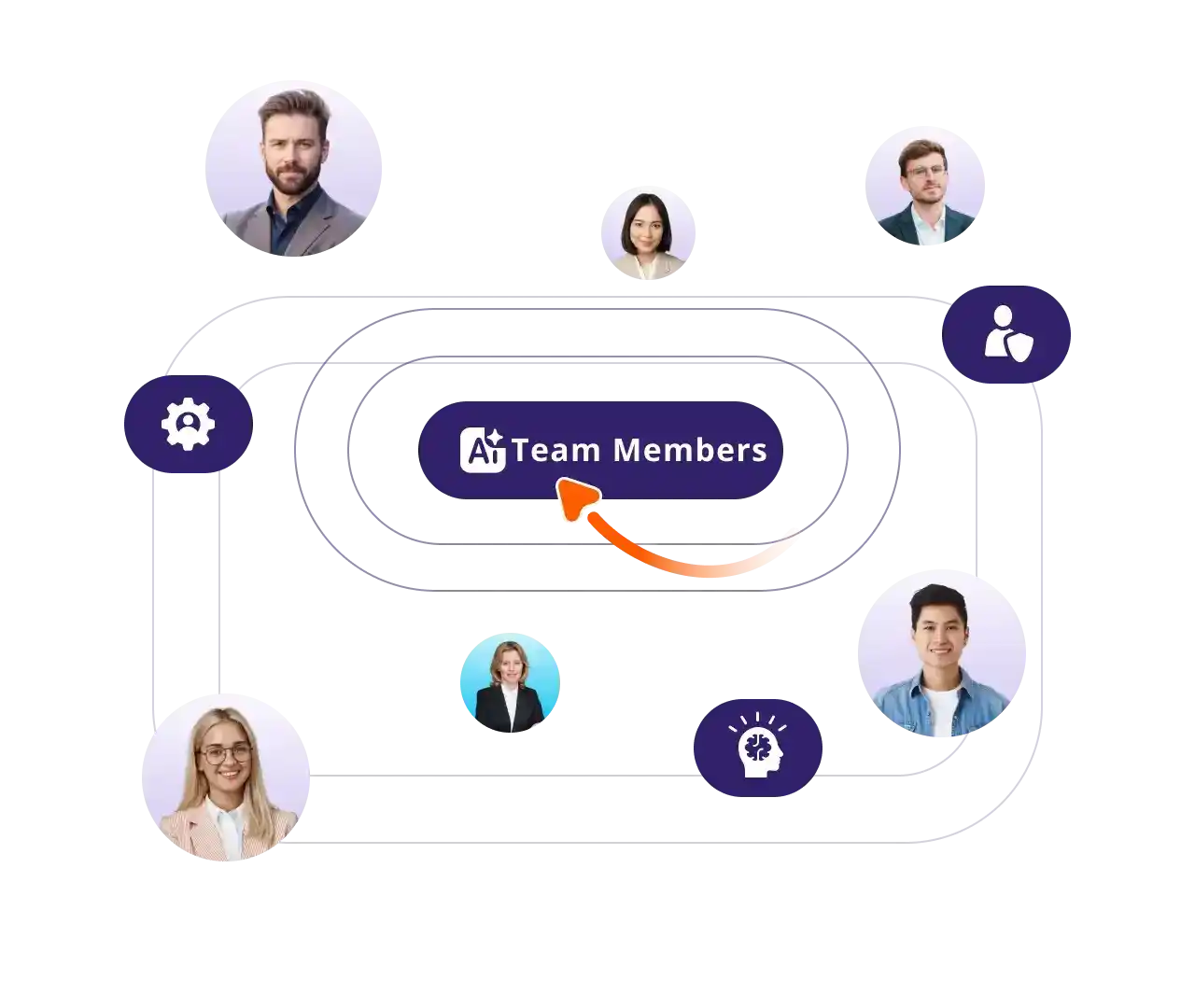
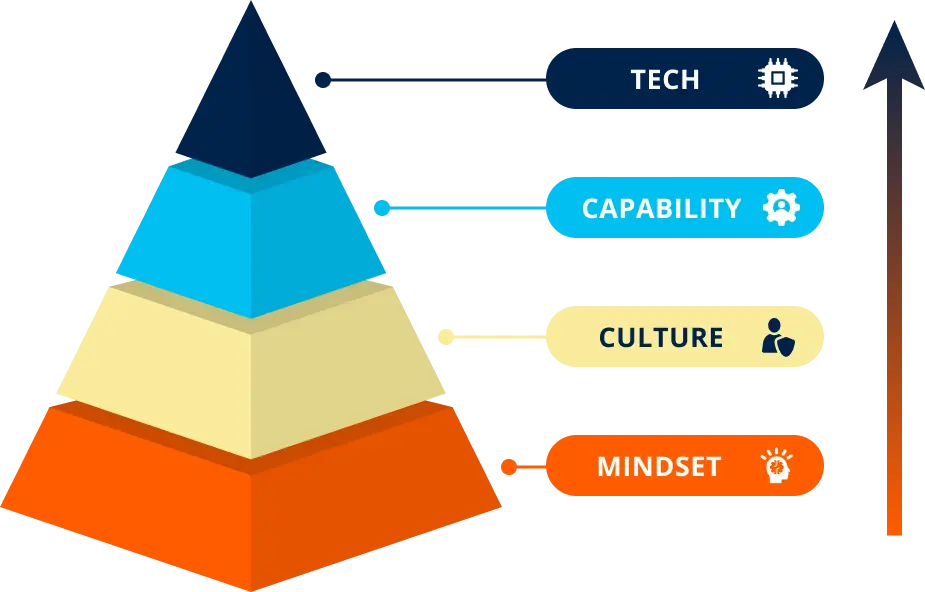
Build the mindset, culture, and capabilities to start unlocking real AI impact, fast!
📚 Immersive Learning
Live expert sessions + self-paced modules for procurement teams.
📅 21-Day Program
Flexible, high-impact AI training tailored to your goals.
🌍 Real Examples
Apply AI to sourcing, contracts, and supplier management.
📈 AI Progress Tracker
Benchmark and measure ROI with clear and accurate metrics.
🤝 Hands-On Projects
Encourage practical use and secure ongoing advancement.
💬 Expert Access
Monthly Q&A with AI and procurement experts to solve your problems.
AI Fundamentals For Procurement Leaders
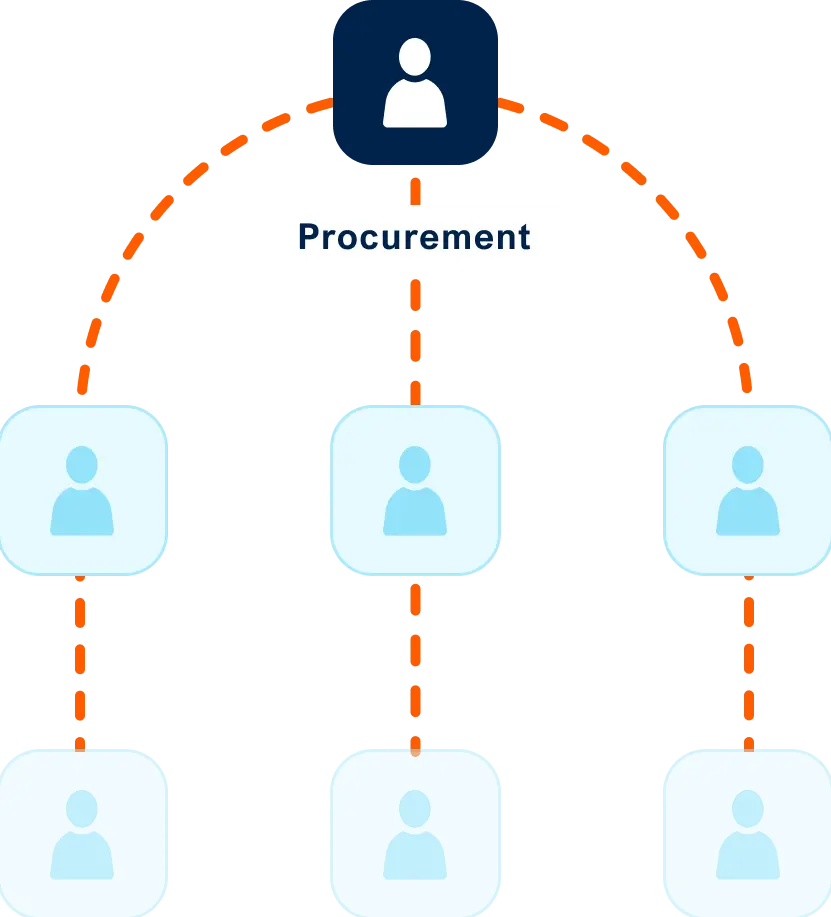
Align your team on an AI vision and build a strategic roadmap for procurement transformation.
📅 21-Day Program
Focused, high-impact training to accelerate AI usage in your team.
🌍 Real Examples
Learn from real examples of procurement leaders leading the AI-way
💬 Expert Access
Monthly Q&A with AI and procurement experts to solve your problems.
🎯 Leaders Aligned
Unify your team with a shared understanding of AI's role in procurement.
📚 Immersive Learning
Live expert sessions + self-paced modules for procurement leaders.
📍 Actionable Roadmap
Leave with a clear plan to implement AI in your procurement process
Succeeding in AI through Talent
Mastering AI isn't about using the newest tool
Winning with AI requires investing in people, not just tools.
We see many people caring too much about using the newest tool, but they are utilizing only 10% of what is possible.
Using the newest tools is great, but actually knowing how to use them is key.
Leading procurement teams adopt a structured approach to change, integrating talent and technology to transform their function into an AI-driven powerhouse.
Program Overview For Your Team
Program Overview for Procurement Leaders
Meet your instructors

Marijn Overvest
Procurement Thought Leader & AI Expert

Ralph De Groot
Senior Learning Consultant & AI Expert
SUPPORT
FAQs
Have more questions? Get in touch with one of our sales consultants. Book a demo for further questions.
How do I enroll my team?
Schedule a demo call with our team. You can book a consultation directly on their calendar or reach out to us at [email protected]. We'll discuss timelines and get your team on board!
How much time does this require?
The leadership program can be finished within 5-6 hours.
The program for your team can also be finished within 5-6 hours.
If you decide to also participate in the optional modules that cover AI agent building, this will take another 5-6 hours.
Need help choosing the right pace? Discuss your team’s goals and timeline with one of our Procurement Learning Specialists in a free discovery call.
Is there a fixed schedule?
No. Your dedicated Procurement Learning Consultant will work with you during onboarding to:
- Agree on a tailored timeline
- Lock in dates for the kick-off, live sessions, and graduation/demo day
- Define progress checkpoints to keep learners on track
Before each live session, participants should complete a set portion of the self-paced modules, ensuring productive, focused discussions.
This structured yet flexible approach keeps teams aligned while accommodating procurement professionals’ busy schedules.
Is there a live learning component?
Yes!
This program comes with a kickoff and a 2 live Q&A sessions to solve your AI problems in procurement.
What type of support can we expect?
During the pre-enrollment process, our procurement specialists will guide your decision-making and address all your questions. You can reach them by email or schedule a quick consultation call whenever needed.
Once enrolled, you'll be assigned a dedicated Procurement Learning Consultant who will:
-
Serve as your single point of contact throughout the program
-
Coordinate all logistics including kickoff, scheduling, and live sessions
-
Onboard your procurement team and handle any program-related needs
-
Work closely with you to maximize the impact on your team's procurement capabilities
Client Success Stories


NEXT STEP
Program Overview + Price Quote
Ready to upskill your procurement team with critical AI skills?
Request a price quote and the program overview using the form, or reach out to us directly if you'd like to discuss what's right for your team.
Click here to grab a slot in my calendar. Talk soon!

Pim Herremans 
Get Price Quote
Get Price Quote