


Written by Marijn Overvest | Reviewed by Sjoerd Goedhart | Fact Checked by Ruud Emonds | Our editorial policy
Top 15 Media Buying Software of 2026
What is media buying software?
- Media buying software is a digital platform that helps businesses plan, purchase, manage, and optimize advertising campaigns across multiple channels, such as search, social media, display, video, and connected TV
- Modern media buying platforms go beyond manual ad placement by using automation, audience targeting, and real-time analytics to improve campaign performance and marketing efficiency
- These platforms help advertisers reduce manual work by automating bidding, campaign optimization, budget allocation, and performance tracking, enabling faster and more data-driven advertising decisions
15 Media Buying Software of 2026
Below is an overview of the leading media buying platforms in 2026, each suited for different advertising needs, channels, and levels of complexity.

1. The Trade Desk
The Trade Desk is a leading demand-side platform (DSP) that enables advertisers to plan, execute, and optimize digital advertising campaigns across multiple channels, including display, video, audio, and connected TV (CTV). It is widely used by agencies and enterprises for programmatic media buying at scale.
Why choose The Trade Desk?
- Advanced programmatic media buying across multiple channels
- Strong data-driven targeting and audience segmentation
- Access to premium inventory, including CTV and video
- Real-time optimization and performance tracking
- Transparent platform with detailed reporting and insights
Pricing
Pricing for The Trade Desk is typically customized based on factors such as ad spend, campaign volume, and access to inventory and data integrations.
For a detailed and tailored pricing estimate, it’s best to request a quote directly through the vendor’s website.
Ratings and Reviews
- G2: ~4.5/5
- Capterra: ~4.4/5
Pros and Cons
|
Pros |
Cons |
|
Strong programmatic capabilities |
Requires expertise to use effectively |
|
Excellent targeting and analytics |
Not ideal for small businesses |
|
Access to premium inventory (CTV, video) |
Learning curve for beginners |
|
Transparent reporting and insights
|
Higher minimum spend requirements |


2. Google Display & Video 360 (DV360)
Display & Video 360 is a demand-side platform within the Google Marketing Platform that allows advertisers to manage programmatic campaigns across display, video, YouTube, and connected TV from a single interface. It is widely used by agencies and large brands for integrated media buying within the Google ecosystem.
Why choose Display & Video 360?
- Unified platform for programmatic display, video, and YouTube advertising
- Strong integration with Google Marketing Platform and analytics tools
- Advanced audience targeting using Google data signals
- Access to premium Google and partner inventory
- Real-time campaign optimization and reporting
Pricing
Pricing for Display & Video 360 is typically customized based on factors such as ad spend, campaign scale, and data usage.
For a detailed and tailored pricing estimate, it’s best to request a quote directly through the vendor’s website.
Ratings and Reviews
- G2: ~4.3/5
- Capterra: ~4.4/5
Pros and Cons
|
Pros |
Cons |
|
Strong integration with Google ecosystem |
Can be complex for beginners |
|
Access to premium inventory including YouTube |
Requires Google ecosystem familiarity |
|
Advanced targeting and analytics |
Minimum spend requirements |
|
Centralized campaign management |
Less flexibility outside Google inventory |

3. MediaMath
MediaMath is a programmatic advertising platform that enables advertisers to manage, optimize, and scale digital campaigns across display, video, mobile, and connected TV. It is known for its enterprise-grade capabilities and focus on data-driven media buying.
Why choose MediaMath?
- Strong programmatic advertising capabilities across multiple channels
- Advanced data management and audience targeting
- Supports custom algorithms and optimization strategies
- Flexible platform for enterprise-level campaign control
- Emphasis on transparency and brand safety
Pricing
Pricing for MediaMath is typically customized based on factors such as ad spend, campaign complexity, and data usage.
For a detailed and tailored pricing estimate, it’s best to request a quote directly through the vendor’s website.
Ratings and Reviews
- G2: ~3.8/5
- Capterra: ~4.0/5
Pros and Cons
|
Pros |
Cons |
|
Strong customization and flexibility |
UI can feel outdated |
|
Good data and targeting capabilities |
Learning curve for new users |
|
Suitable for enterprise campaigns |
Requires technical expertise |
|
Focus on transparency and control |
Not ideal for small teams |

4. Amazon DSP
Amazon DSP is a demand-side platform that allows advertisers to programmatically buy display, video, and audio ads both on and off Amazon. It leverages Amazon’s rich first-party data to help brands reach highly targeted audiences based on shopping behavior and intent.
Why choose Amazon DSP?
- Access to powerful Amazon first-party shopping data for precise targeting
- Strong capabilities for display, video, and streaming TV (OTT/CTV)
- Ability to advertise both on Amazon and across the open web
- Advanced audience segmentation based on purchase behavior
- Detailed performance insights tied to conversions and sales
Pricing
Pricing for Amazon DSP is typically customized based on factors such as ad spend, campaign type, and audience targeting requirements.
For a detailed and tailored pricing estimate, it’s best to request a quote directly through the vendor’s website.
Ratings and Reviews
- G2: ~4.3/5
- Capterra: ~4.4/5
Pros and Cons
| Pros | Cons |
| Powerful audience targeting using Amazon data | Higher minimum spend requirements |
| Strong performance for eCommerce campaigns | Can be complex to set up |
| Access to premium inventory (including CTV) | Limited outside Amazon ecosystem |
| Good attribution and conversion tracking | Requires expertise for optimization |

5. Meta Ads Manager
Meta Ads Manager is a media buying platform that allows advertisers to create, manage, and optimize campaigns across Meta’s ecosystem, including Facebook, Instagram, Messenger, and Audience Network. It is widely used for social media advertising with strong audience targeting and performance tracking capabilities.
Why choose Meta Ads Manager?
- Access to a massive global audience across Facebook and Instagram
- Advanced audience targeting based on demographics, interests, and behavior
- Strong ad formats, including video, carousel, and stories
- Real-time campaign optimization and performance tracking
- Built-in tools for A/B testing and budget control
Pricing
Pricing for Meta Ads Manager is typically based on ad spend, bidding strategy, and audience targeting.
For a detailed and tailored pricing estimate, it’s best to request a quote directly through the vendor’s website.
Ratings and Reviews
- G2: ~4.2/5
- Capterra: ~4.5/5
Pros and Cons
| Pros | Cons |
| Powerful audience targeting capabilities | Increasing competition can drive up costs |
| Wide reach across social platforms | Requires constant optimization |
| Flexible budgeting and bidding options | Performance can vary by industry |
| Strong analytics and reporting tools | Ad fatigue can impact results |

6. Google Ads
Google Ads is one of the most widely used media buying platforms, allowing advertisers to run campaigns across Google Search, Display Network, YouTube, and partner websites. It is suitable for businesses of all sizes looking to reach users based on search intent and online behavior.
Why choose Google Ads?
- Access to high-intent audiences through search advertising
- Wide reach across search, display, YouTube, and partner sites
- Advanced keyword targeting and bidding strategies
- Strong performance tracking and conversion measurement
- Flexible campaigns for both small businesses and enterprises
Pricing
Pricing for Google Ads is typically based on ad spend, bidding strategy, and competition for keywords.
For a detailed and tailored pricing estimate, it’s best to request a quote directly through the vendor’s website.
Ratings and Reviews
- G2: ~4.4/5
- Capterra: ~4.5/5
Pros and Cons
| Pros | Cons |
| High-intent targeting through search | Competitive keywords can be expensive |
| Wide advertising reach across channels | Requires ongoing optimization |
| Flexible budgeting options | Learning curve for beginners |
| Strong analytics and conversion tracking | Costs can scale quickly |

7. Skai (formerly Kenshoo)
Skai is a cross-channel media buying and marketing platform that helps advertisers manage campaigns across search, social, and e-Commerce channels from a single interface. It is particularly popular among enterprises and agencies looking for unified campaign management and advanced optimization capabilities.
Why choose Skai?
- Unified platform for search, social, and retail media campaigns
- Strong AI-driven optimization and automation
- Advanced budget allocation and performance tracking
- Integrations with major platforms like Google, Meta, and Amazon
- Centralized dashboard for cross-channel campaign management
Pricing
Pricing for Skai is typically customized based on factors such as ad spend, number of channels managed, and campaign complexity.
For a detailed and tailored pricing estimate, it’s best to request a quote directly through the vendor’s website.
Ratings and Reviews
- G2: ~4.3/5
- Capterra: ~4.4/5
Pros and Cons
| Pros | Cons |
| Strong cross-channel campaign management | Can be expensive for smaller businesses |
| Advanced automation and AI features | Requires setup and training |
| Good integrations with major ad platforms | UI may feel complex at first |
| Centralized performance tracking | Best suited for experienced marketers |

8. Marin Software
Marin Software is a cross-channel media buying and advertising management platform that helps marketers manage, optimize, and analyze campaigns across search, social, and e-commerce channels. It is designed for performance marketers who need centralized control over multiple advertising platforms.
Why choose Marin Software?
- Centralized platform for search, social, and e-commerce advertising
- Strong bid management and budget optimization tools
- Advanced performance tracking and reporting
- Integrates with major platforms like Google, Meta, and Amazon
- Helps improve ROI through data-driven optimization
Pricing
Pricing for Marin Software is typically customized based on factors such as ad spend, number of channels, and campaign complexity.
For a detailed and tailored pricing estimate, it’s best to request a quote directly through the vendor’s website.
Ratings and Reviews
- G2: ~3.8/5
- Capterra: ~4.0/5
Pros and Cons
| Pros | Cons |
| Strong cross-channel campaign management | UI can feel outdated |
| Good bid management and optimization tools | Learning curve for new users |
| Detailed reporting and analytics | Customer support can vary |
| Integrates with major ad platforms | Not ideal for small businesses |

9. AdRoll
AdRoll is a media buying and digital advertising platform focused on retargeting, display ads, and multi-channel campaign management. It is widely used by small to mid-sized businesses looking to run targeted campaigns across web, social, and email channels.
Why choose AdRoll?
- Strong retargeting and audience re-engagement capabilities
- Easy-to-use platform for multi-channel advertising
- Supports display, social, and email marketing campaigns
- Built-in audience segmentation and personalization tools
- Suitable for small and mid-sized businesses
Pricing
Pricing for AdRoll is typically based on ad spend, campaign scale, and selected features such as retargeting and audience targeting.
For a detailed and tailored pricing estimate, it’s best to request a quote directly through the vendor’s website.
Ratings and Reviews
- G2: ~4.0/5
- Capterra: ~4.2/5
Pros and Cons
| Pros | Cons |
| Strong retargeting capabilities | Limited advanced features for enterprises |
| User-friendly interface | Reporting can be basic |
| Good for small and mid-sized businesses | Costs can increase with scaling |
| Multi-channel campaign support | Less control compared to DSPs |

10. Basis Technologies (formerly Centro)
Basis Technologies is a cloud-based media buying and advertising automation platform that combines programmatic advertising, direct media buying, and campaign management in one system. It is designed for agencies and marketing teams that need full visibility and control over digital media operations.
Why choose Basis Technologies?
- Combines programmatic and direct media buying in one platform
- Centralized system for planning, execution, and reporting
- Strong workflow automation and campaign management tools
- Provides full transparency into media spend and performance
- Built for agencies and enterprise marketing teams
Pricing
Pricing for Basis Technologies is typically customized based on factors such as ad spend, number of users, and campaign complexity.
For a detailed and tailored pricing estimate, it’s best to request a quote directly through the vendor’s website.
Ratings and Reviews
- G2: ~4.4/5
- Capterra: ~4.5/5
Pros and Cons
| Pros | Cons |
| Combines programmatic and direct buying | Can be complex for beginners |
| Strong campaign management features | Requires training to use effectively |
| Good transparency and reporting | Not ideal for small teams |
| Centralized workflow automation | Setup can take time |

11. Criteo
Criteo is a commerce media platform that specializes in performance-driven advertising, particularly in retargeting and retail media. It helps brands and retailers deliver personalized ads across web, mobile, and in-app environments using shopper data and AI-driven optimization.
Why choose Criteo?
- Strong focus on retargeting and performance marketing
- Access to a large commerce media network of retailers and publishers
- AI-driven ad personalization and optimization
- Advanced product-level targeting based on user behavior
- Ideal for eCommerce and retail-focused campaigns
Pricing
Pricing for Criteo is typically customized based on factors such as ad spend, campaign type, and performance goals.
For a detailed and tailored pricing estimate, it’s best to request a quote directly through the vendor’s website.
Ratings and Reviews
- G2: ~4.0/5
- Capterra: ~4.1/5
Pros and Cons
| Pros | Cons |
| Strong retargeting and personalization | Can be expensive for smaller budgets |
| Excellent for eCommerce campaigns | Limited outside retail-focused use cases |
| AI-driven optimization | Less control compared to some DSPs |
| Large commerce media network | Reporting can be complex |

12. StackAdapt
StackAdapt is a programmatic advertising platform that enables marketers to run multi-channel campaigns across native, display, video, connected TV (CTV), and audio. It is known for its user-friendly interface and strong performance in native advertising and audience targeting.
Why choose StackAdapt?
- Multi-channel programmatic advertising, including native, display, video, and CTV
- Strong native advertising capabilities and engagement rates
- Intuitive and user-friendly interface compared to traditional DSPs
- Advanced audience targeting and segmentation tools
- Real-time campaign optimization and performance insights
Pricing
Pricing for StackAdapt is typically customized based on factors such as ad spend, campaign type, and targeting requirements.
For a detailed and tailored pricing estimate, it’s best to request a quote directly through the vendor’s website.
Ratings and Reviews
- G2: ~4.8/5
- Capterra: ~4.9/5
Pros and Cons
| Pros | Cons |
| Easy-to-use platform | May have minimum spend requirements |
| Strong native advertising performance | Limited customization compared to some DSPs |
| Excellent customer support | Smaller ecosystem than major players |
| Good multi-channel capabilities | Advanced features may require experience |

13. Adobe Advertising Cloud
Adobe Advertising Cloud is an enterprise media buying platform that enables advertisers to manage search, display, video, and TV campaigns across multiple channels. As part of the Adobe Experience Cloud, it offers advanced data integration, automation, and cross-channel optimization capabilities.
Why choose Adobe Advertising Cloud?
- Unified platform for search, display, video, and TV advertising
- Strong integration with Adobe Experience Cloud and analytics tools
- Advanced data-driven targeting and audience segmentation
- AI-powered optimization and budget allocation
- Enterprise-level reporting and attribution capabilities
Pricing
Pricing for Adobe Advertising Cloud is typically customized based on factors such as ad spend, number of channels, and integration with Adobe’s ecosystem.
For a detailed and tailored pricing estimate, it’s best to request a quote directly through the vendor’s website.
Ratings and Reviews
- G2: ~4.1/5
- Capterra: ~4.2/5
Pros and Cons
| Pros | Cons |
| Strong cross-channel capabilities | Can be expensive |
| Deep integration with Adobe tools | Complex setup and onboarding |
| Advanced analytics and reporting | Requires expertise to use fully |
| Scalable for enterprise use | Not ideal for small businesses |

14. Simpli.fi
Simpli.fi is a programmatic media buying platform designed to help advertisers manage and optimize campaigns across multiple digital channels, including display, mobile, video, and connected TV. It is particularly known for its strong localized targeting capabilities and data-driven approach to audience segmentation.
Why choose Simpli.fi?
- Advanced programmatic advertising with real-time bidding (RTB)
- Strong localized targeting (geo-fencing, household-level targeting)
- Multi-channel campaigns across display, mobile, video, and CTV
- Data-driven campaigns using behavioral and contextual data
- Real-time campaign optimization and performance tracking
Pricing
Pricing for Simpli.fi is typically customized based on factors such as ad spend, campaign scale, and targeting requirements.
For a detailed and tailored pricing estimate, it’s best to request a quote directly through the vendor’s website.
Ratings and Reviews
- G2: ~4.4/5
- Capterra: ~4.5/5
Pros and Cons
| Pros | Cons |
| Strong localized and geo-targeting capabilities | Can be complex for beginners |
| Good multi-channel programmatic support | Requires setup and learning |
| Powerful data-driven targeting | Not as well-known as larger DSPs |
| Real-time optimization and reporting | Advanced features may require expertise |
15. Yahoo DSP
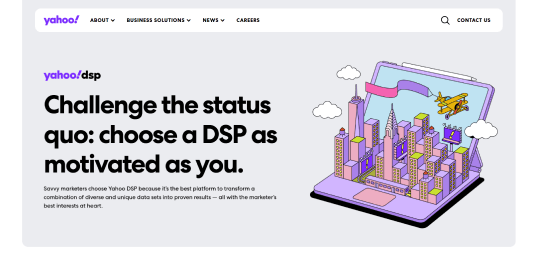
Yahoo DSP is a programmatic media buying platform that enables advertisers to manage campaigns across display, video, native, and connected TV. It provides access to Yahoo’s owned and operated inventory as well as third-party exchanges, making it a flexible solution for cross-channel advertising.
Why choose Yahoo DSP?
- Access to premium Yahoo inventory and third-party exchanges
- Supports display, video, native, and CTV advertising
- Strong audience targeting using first-party and third-party data
- Advanced programmatic buying and real-time optimization
- Good balance between reach and cost efficiency
Pricing
Pricing for Yahoo DSP is typically customized based on factors such as ad spend, campaign type, and audience targeting requirements.
For a detailed and tailored pricing estimate, it’s best to request a quote directly through the vendor’s website.
Ratings and Reviews
- G2: ~4.2/5
- Capterra: ~4.3/5
Pros and Cons
| Pros | Cons |
| Access to Yahoo-owned and partner inventory | UI may feel outdated |
| Strong multi-channel capabilities | Learning curve for new users |
| Good targeting and optimization tools | Not as advanced as top-tier DSPs |
| Cost-effective compared to some competitors | Limited ecosystem compared to Google |
Why is There a Need for Media Buying Software?
Even before major digital shifts accelerated marketing transformation, advertisers were already moving toward automating and optimizing how they purchase media. However, the growing number of advertising channels, search, social, display, video, and connected TV, made manual media buying inefficient and difficult to manage at scale.
Today, businesses run campaigns across multiple platforms, audiences, and regions simultaneously. Without a centralized system, managing budgets, targeting audiences, and tracking performance becomes fragmented and error-prone. Media buying software solves this by providing a unified platform for planning, executing, and optimizing campaigns in real time.
The need for these tools has increased as competition for ad space grows and data-driven decision-making becomes essential. With real-time bidding, audience segmentation, and performance analytics, advertisers can make faster and more informed decisions about where and how to spend their budgets.
In short, media buying software ensures that advertising efforts remain efficient, scalable, and performance-driven, allowing businesses to maximize ROI across increasingly complex digital ecosystems.
Advantages and Disadvantages of Media Buying Software
Conclusion
Media buying software has become a critical component of modern digital marketing, enabling businesses to move beyond fragmented campaign management toward fully integrated, data-driven advertising strategies. As shown throughout this article, these platforms centralize media buying, improve targeting precision, and enhance campaign performance across multiple channels.
The key takeaway is that success with media buying software is not just about selecting the right platform, but also about continuously optimizing campaigns, leveraging data effectively, and adapting to changing audience behavior. Companies that treat media buying as a strategic capability, not just a tactical activity, are better positioned to maximize ROI and stay competitive in an increasingly complex digital advertising landscape.
Frequentlyasked questions
What is media buying software?
Media buying software is a digital platform that helps businesses plan, purchase, manage, and optimize advertising campaigns across multiple channels such as search, social media, display, and video. It centralizes campaign management, enabling advertisers to automate processes, target specific audiences, and track performance in real time.
What are the benefits of media buying software?
Media buying software improves efficiency by automating campaign management and reducing manual work. It enhances targeting accuracy through data-driven insights, allowing advertisers to reach the right audience at the right time. Additionally, it provides real-time performance tracking, helping businesses optimize campaigns, control budgets, and maximize return on investment.
How do you choose the right media buying software?
Choosing the right media buying software depends on factors such as your advertising goals, budget, and preferred channels. Businesses should look for platforms that offer strong targeting capabilities, real-time analytics, and seamless integration with existing marketing tools. Ease of use and scalability are also important, as the platform should support both current campaigns and future growth.
About the author
My name is Marijn Overvest, I’m the founder of Procurement Tactics. I have a deep passion for procurement, and I’ve upskilled over 200 procurement teams from all over the world. When I’m not working, I love running and cycling.
